 small businesses across India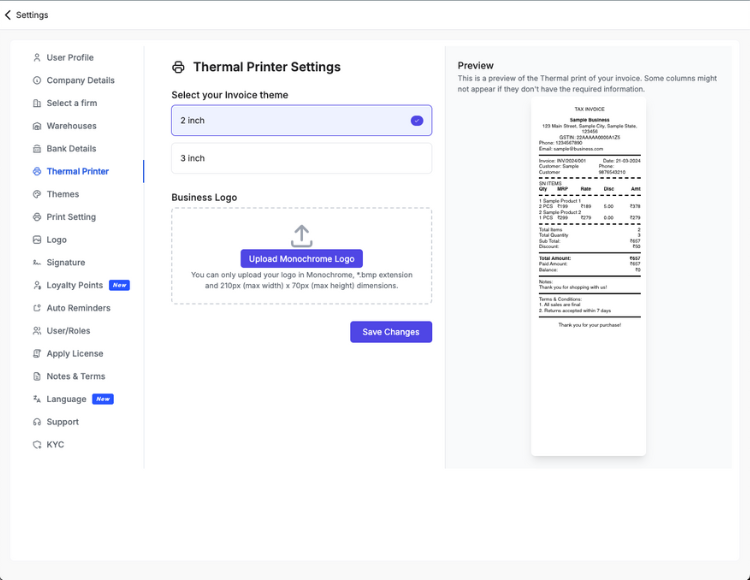

125K+
Businesses trust us

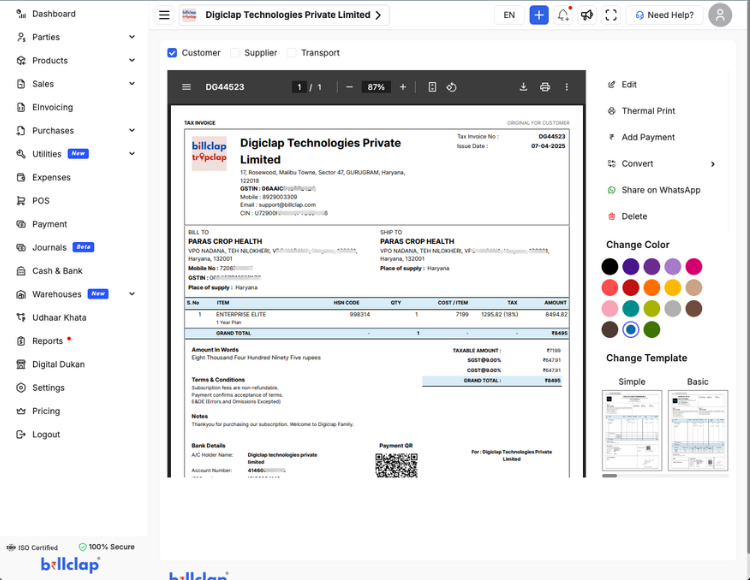
On-cloud GST invoicing — create compliant bills, share on WhatsApp, and track payments from day one.

Rating on Google
4.9(60 reviews)





125K+
Businesses trust us
₹20Cr+
Invoices created
50+
Cities & towns in India
4.5
Rating on Play Store
How quickly can you start GST billing?
Up and running in under 50 seconds

Efficiency and time savings
Automate GST bill number creation, payment QR codes, party details, terms, and bank details — saving time and reducing manual errors.
Faster payment processing
Clients receive GST bills instantly with payment QR codes, leading to quicker payments and improved cash flow.
Accuracy and error reduction
Manual data entry leads to mistakes. BillClap ensures accurate billing information, minimizing discrepancies.
Cost-effective
Eliminate paper, printing, and postage costs with on-cloud billing while contributing to a greener environment.
Easy tracking and management
Track bill status, see when they are opened, and receive notifications for overdue payments.
Enter your mobile — we'll send an OTP on the next screen
We'll send an OTP on the next screen to verify your number.
Incorporating BillClap into your business simplifies online billing, enhances accuracy, and improves overall efficiency.
125K+
Customers
ISO
Certified
IIM-L
Funded by IIM-Lucknow
100%
Secure
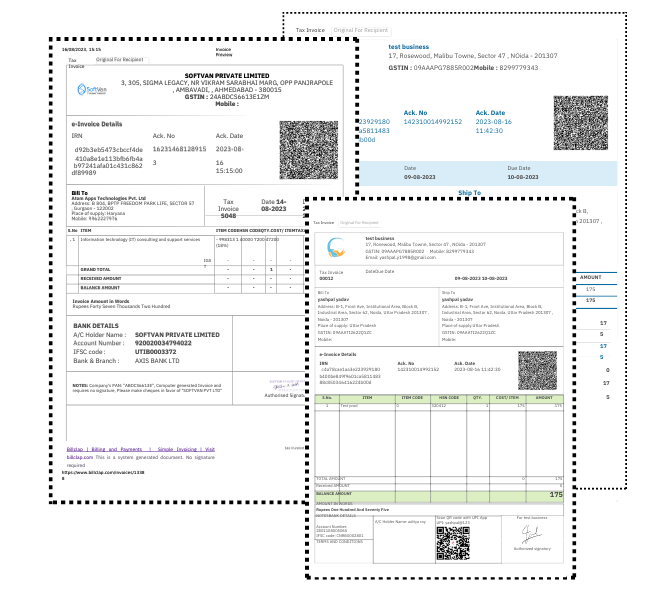
Bills of supply, GST bills, e-invoices, export invoices, delivery challans, proforma invoices, estimates, and e-way bills — custom made for your business.
.svg?w=1080&q=80)
Streamline your GST billing process and boost efficiency. Say goodbye to manual paperwork and hello to effortless GST billing.
Software comparison
| Capability | BillClap Enterprise Elite | Tally | Vyapar | Zoho Books |
|---|---|---|---|---|
| Cloud + mobile-first (Android app, 9 Indian languages) | Desktop-only Windows app; mobile via third-party add-ons | Partial Mobile app free; multi-device sync is a paid upgrade | Partial Cloud mobile app; retail POS and thermal workflows are lighter | |
| GST invoicing with CGST/SGST/IGST auto-calculation | All plans | Core GST engine, Silver+ | Included on paid tiers | Standard & Professional plans |
| e-Invoice & e-Way bill generation | Enterprise Elite+ plans | Via TallyPrime with IRP integration | Available on higher tiers | Add-on e-Invoicing on Professional+; setup can be heavier |
| Share invoices on WhatsApp in one tap | Native, from your own number on Enterprise Plus | Limited Export PDF; no native WhatsApp send from app | WhatsApp share built in | Limited Email/PDF share; WhatsApp not a core workflow |
| Thermal printing (2" & 3") for counter billing | A4, A5, 2" and 3" thermal | Partial POS/thermal via partner integrations | Strong thermal POS support | Limited Accounting-first; not built for retail counter speed |
| Multiple firms/branches under one login | Partial Needs Gold edition — ₹67,500 one-time + GST | Partial Multi-company gated to Gold+ tier | Partial Multi-org on higher plans; per-org pricing | |
| Starting annual price | ₹4,499/yr | ₹22,500 one-time (Silver) + GST · +₹5,310/yr TSS renewal from Yr 2 | ₹4,300–4,353/yr Desktop Gold · mobile sync sold separately as Combo | ₹4,999/yr Zoho Books Professional (India) · Standard from ~₹2,999/yr |
Our take: If you want GST billing without a desktop licence or per-device sync fee, BillClap delivers cloud + mobile access at a fraction of Tally's 3-year cost — with WhatsApp sharing and thermal printing built in.
Effective cost on BillClap's 3-year plans vs. the closest comparable competitor tier (feature-matched for multi-firm/GST reporting where applicable). Based on July 2026 vendor pricing research.
Choose from our range of professional GST bill templates
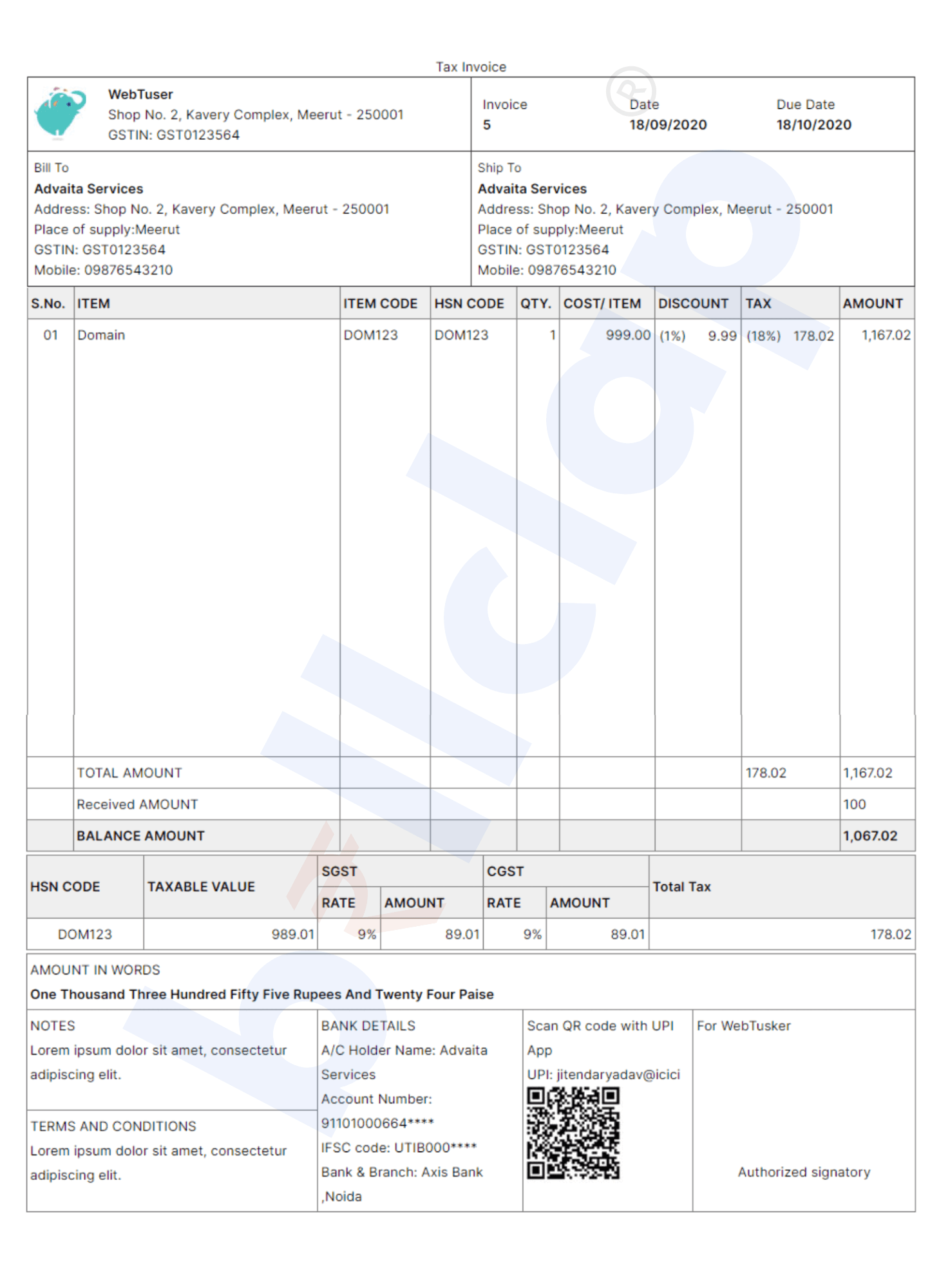
Basic Theme
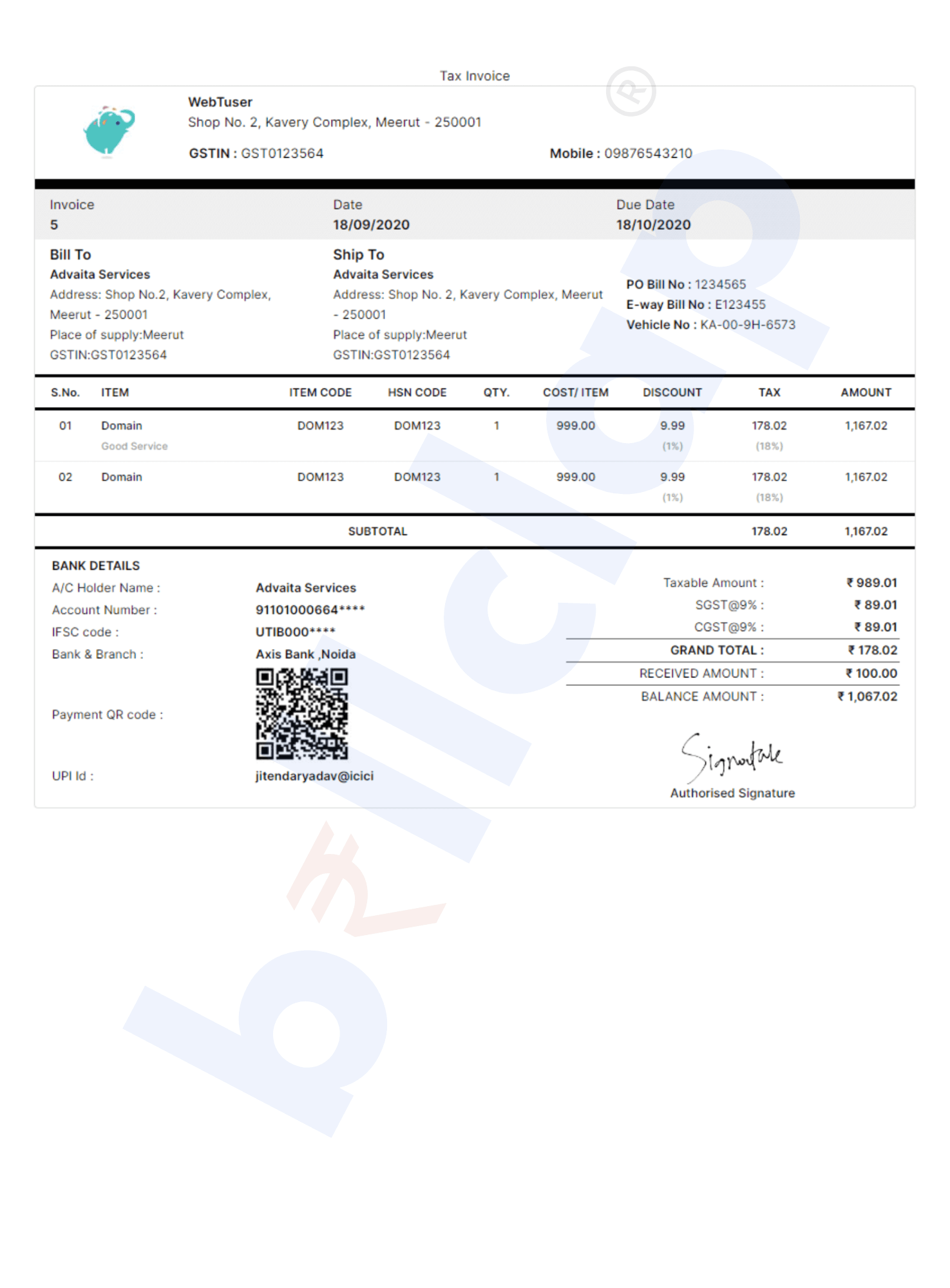
Modern Theme
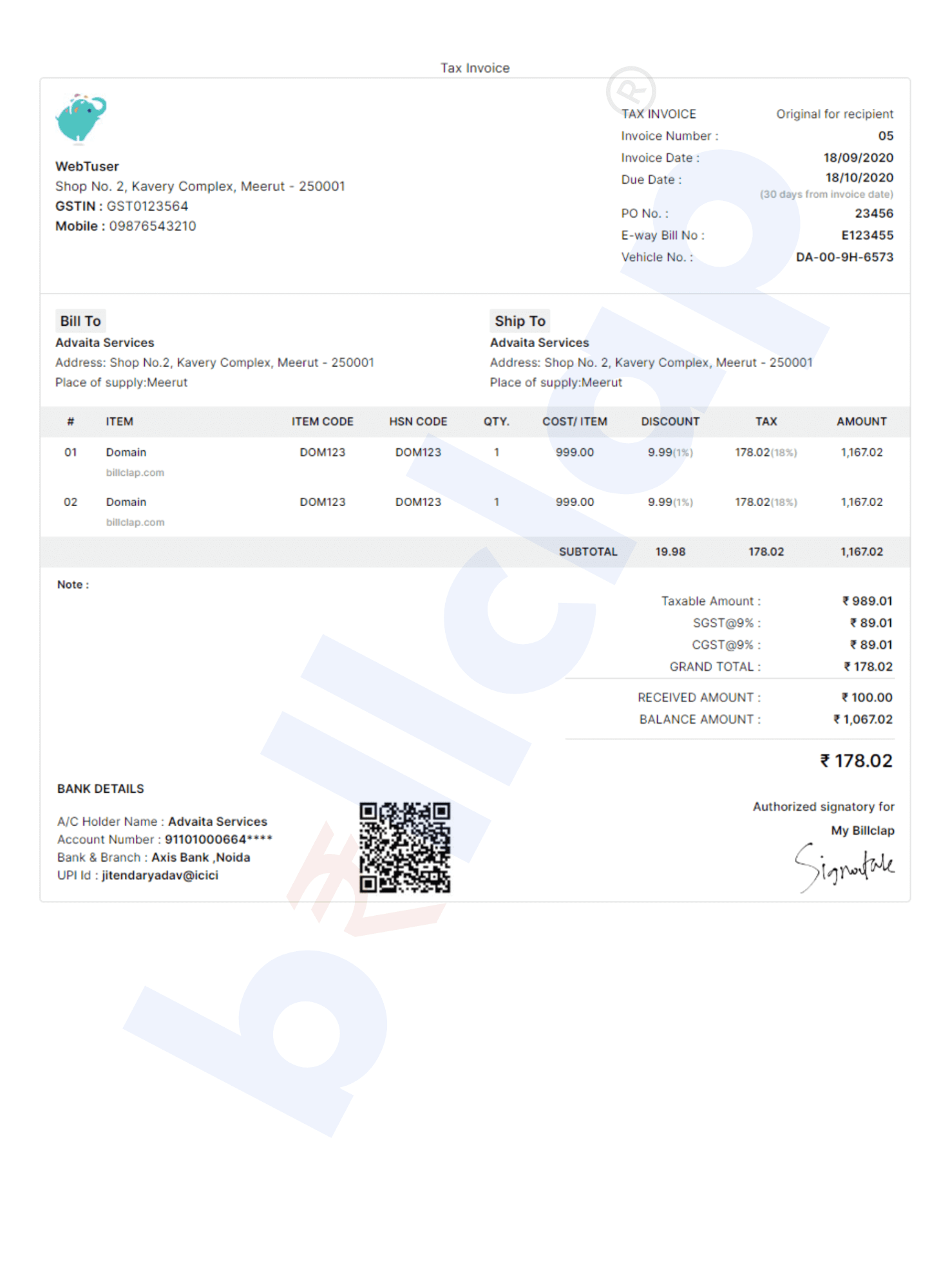
Stylish Theme
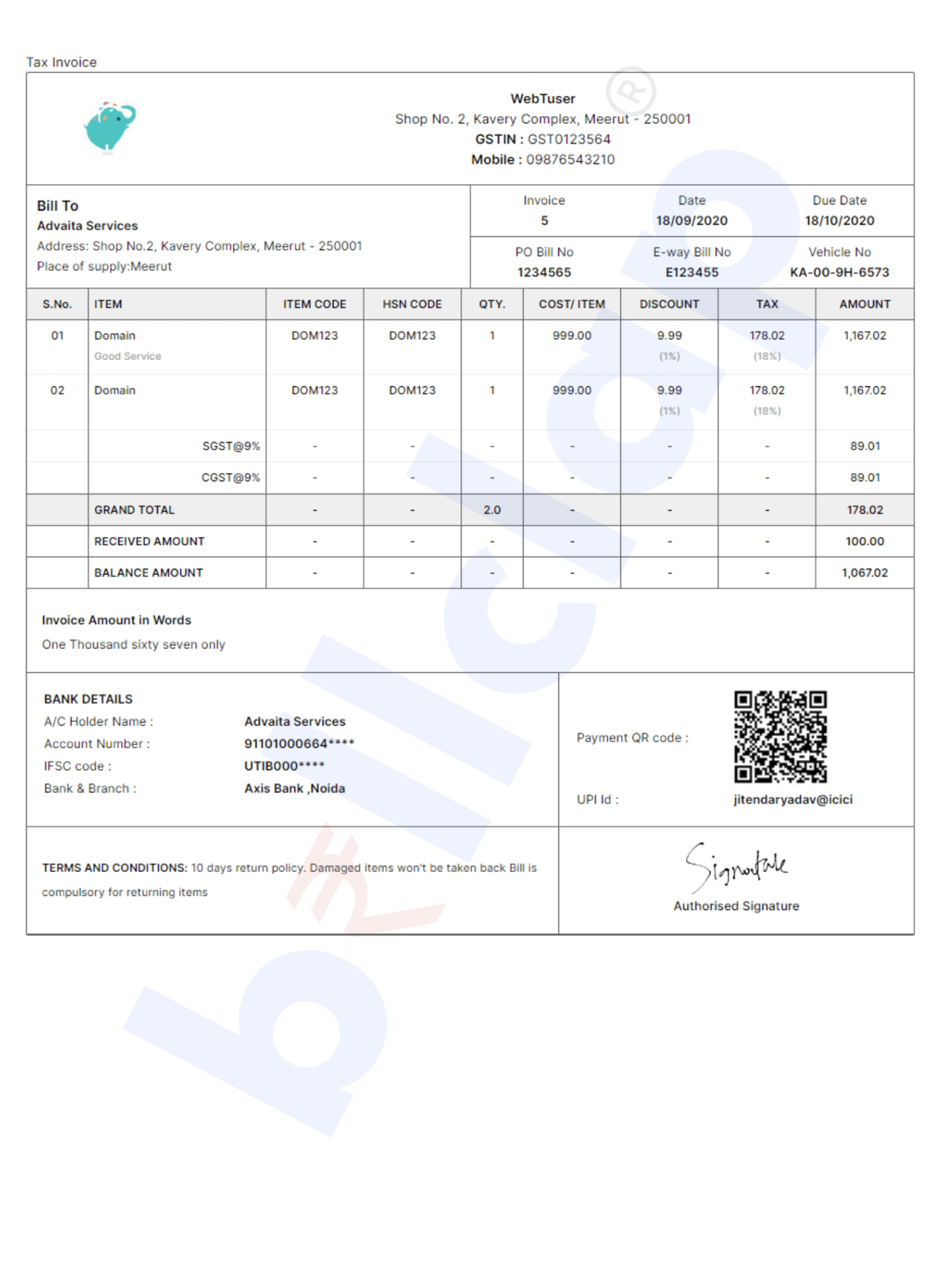
Simple Theme

Jewellery Theme
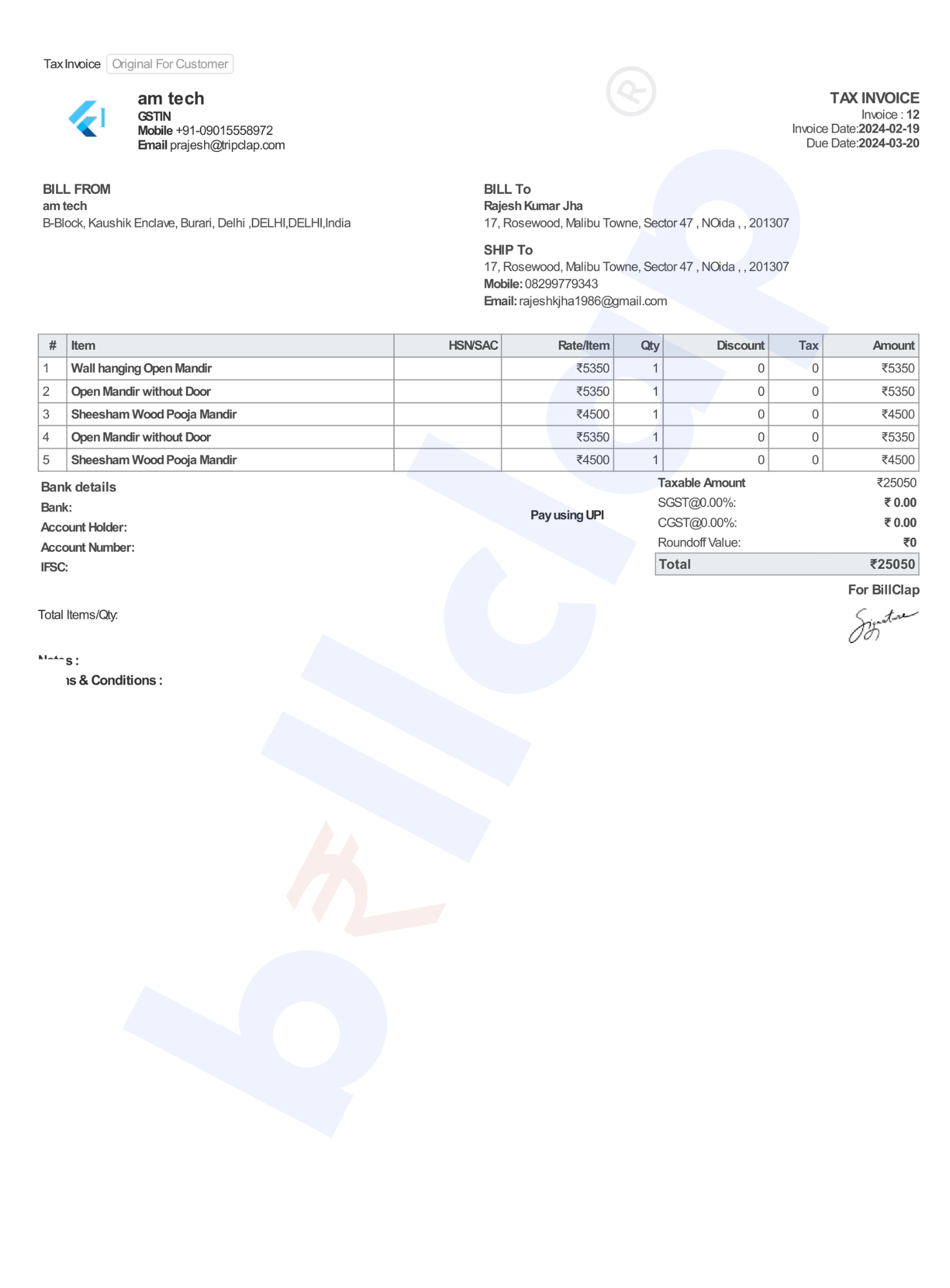
E-Commerce Theme
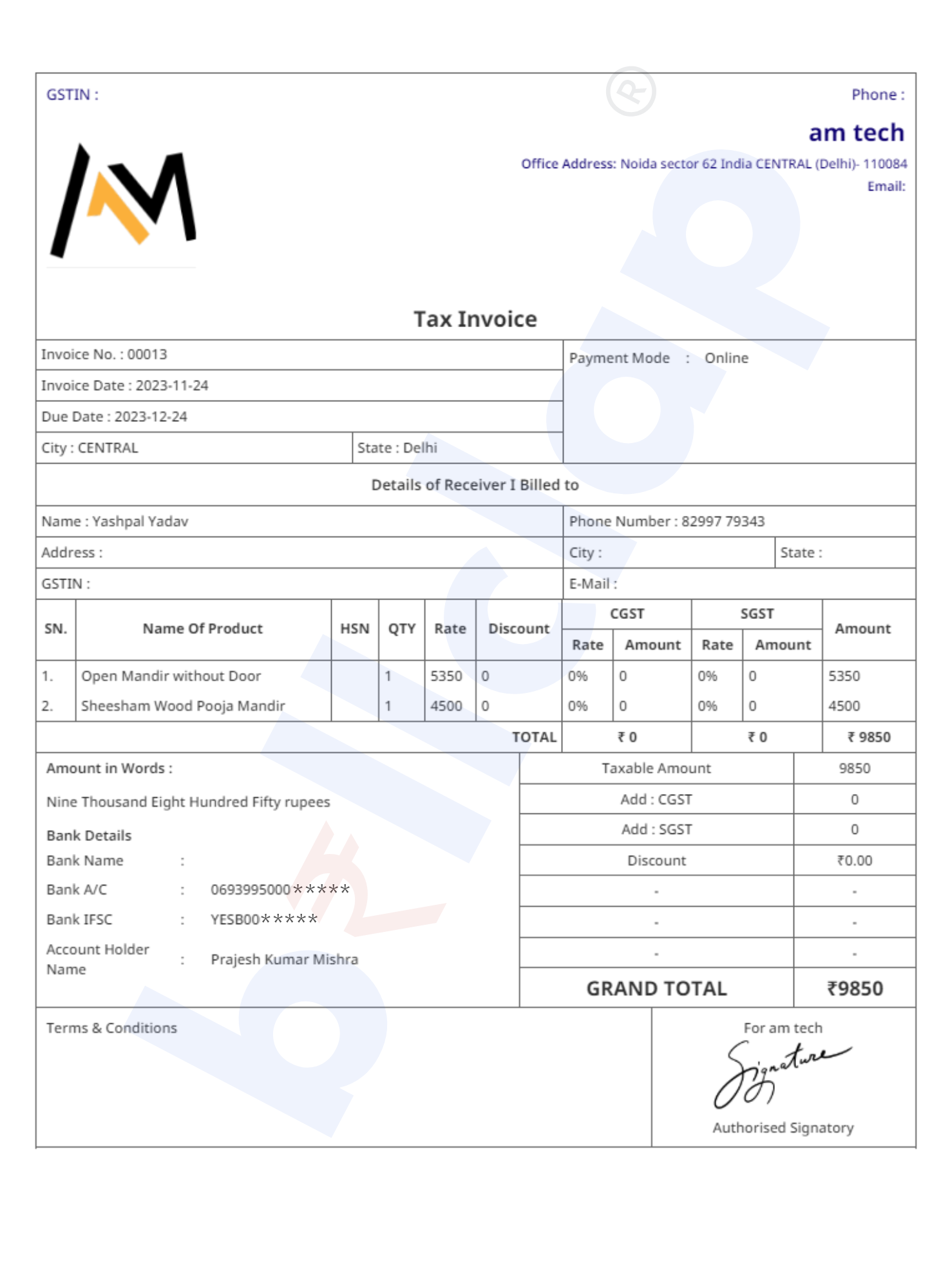
Electronic Theme
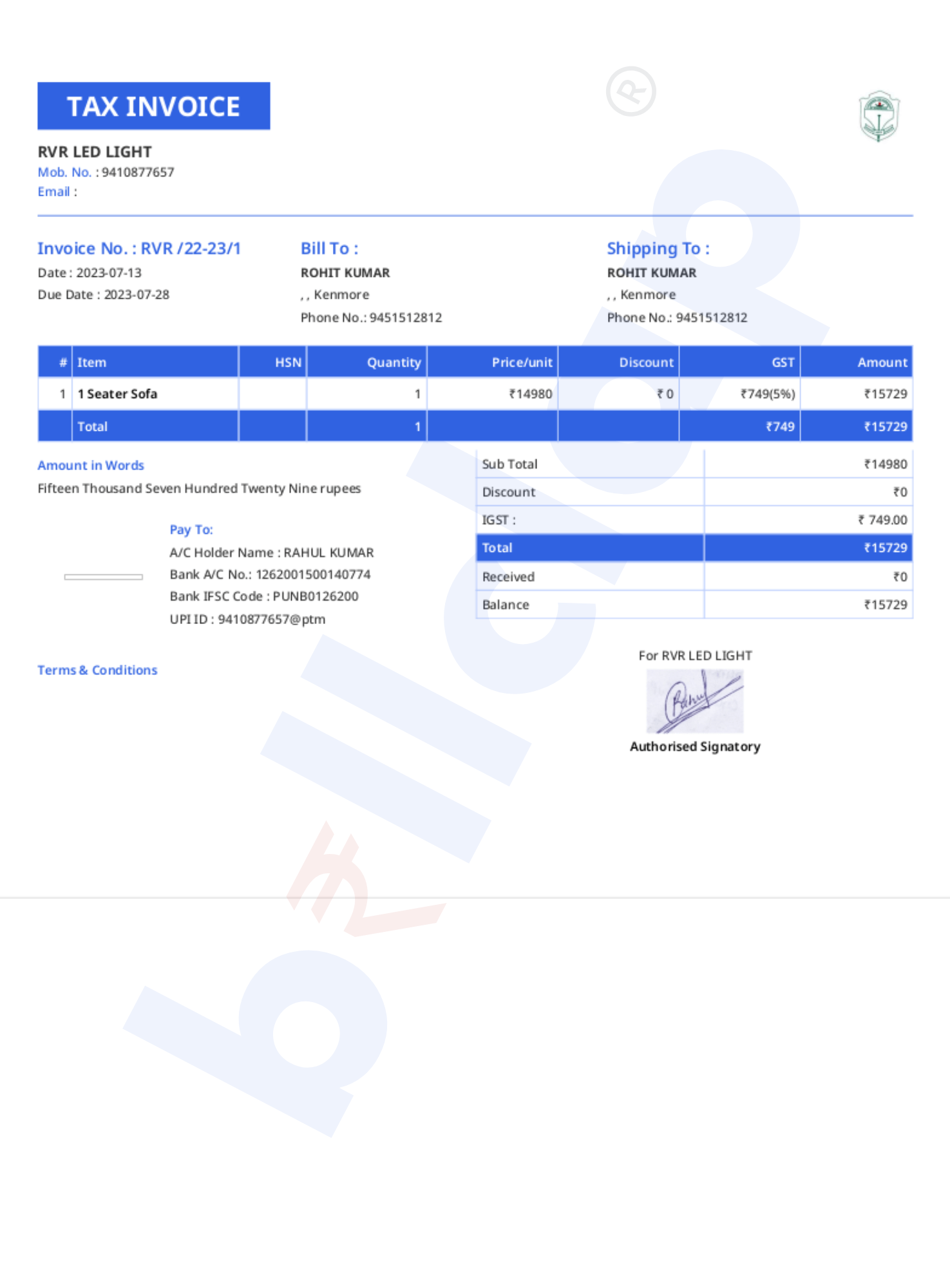
Bold Theme
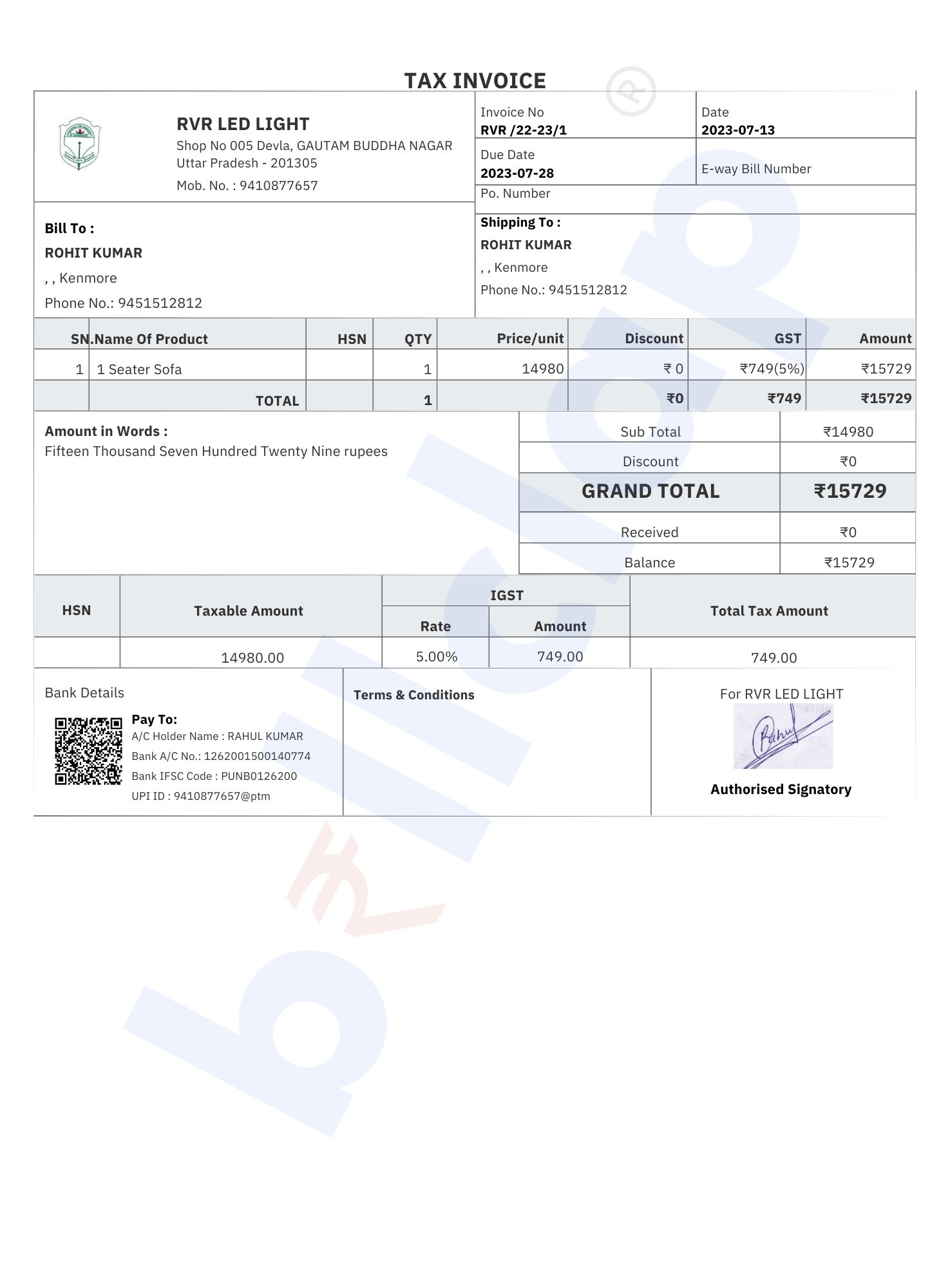
Tally Theme
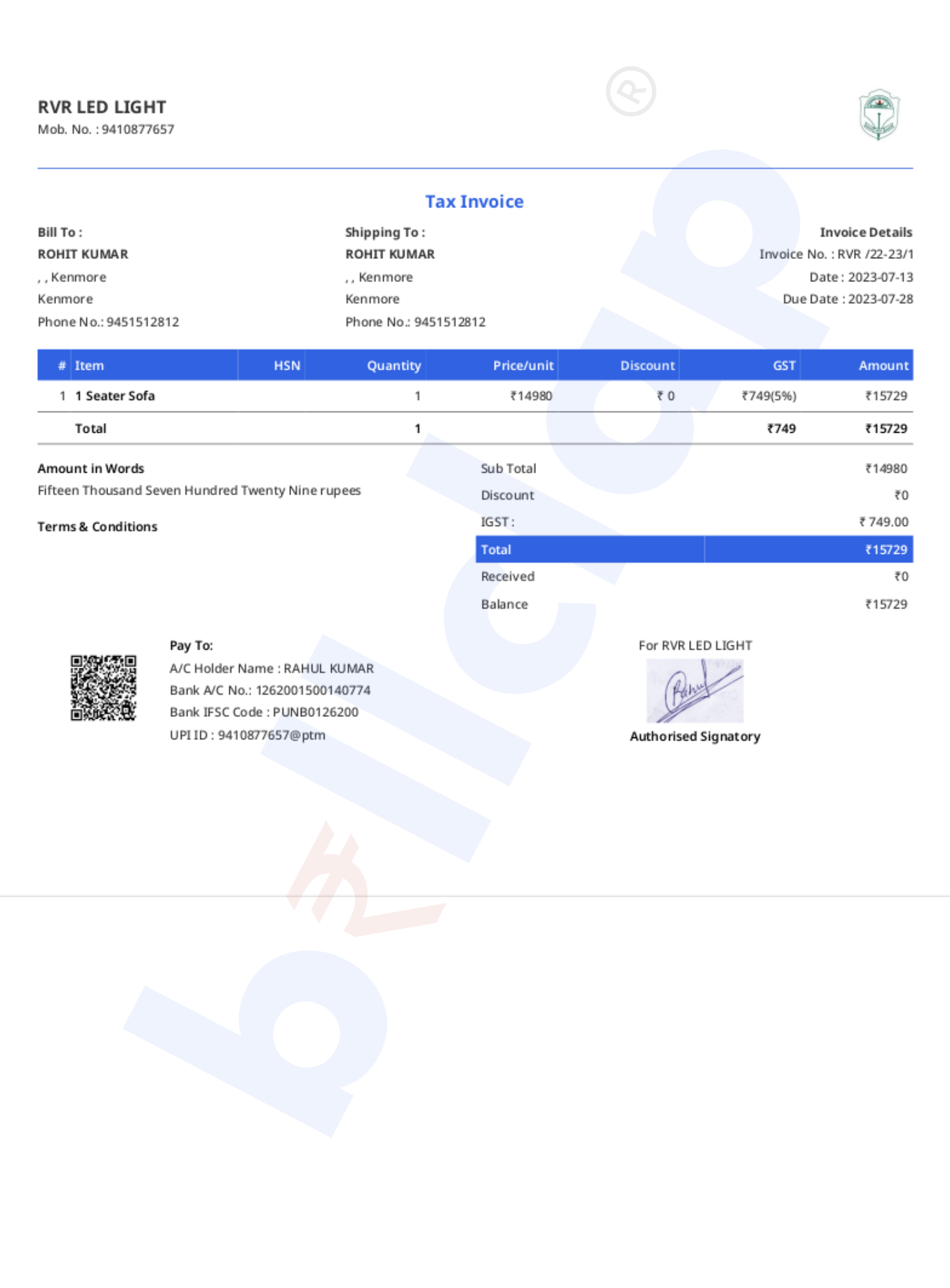
Professional Theme
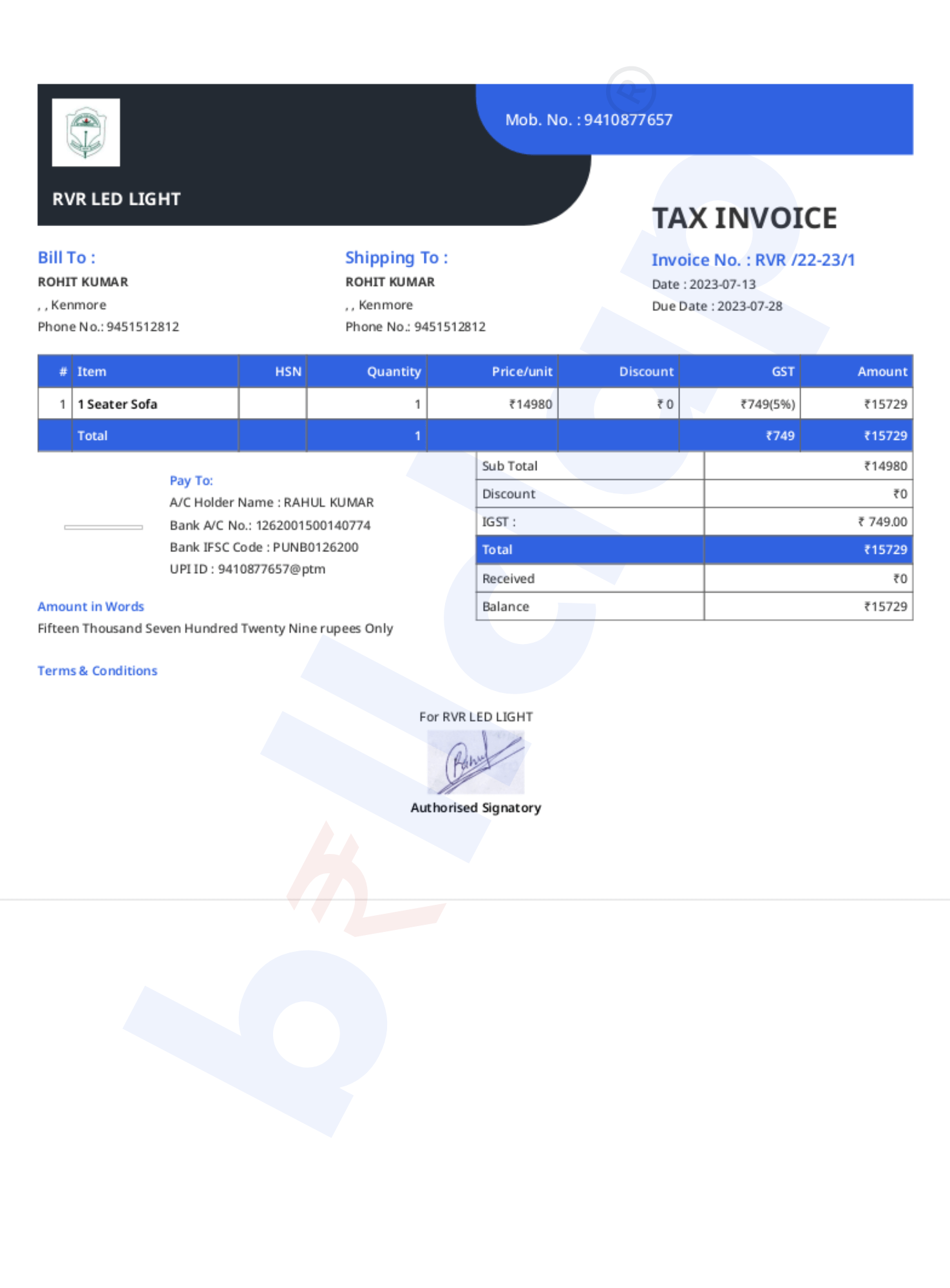
Dual Color Theme
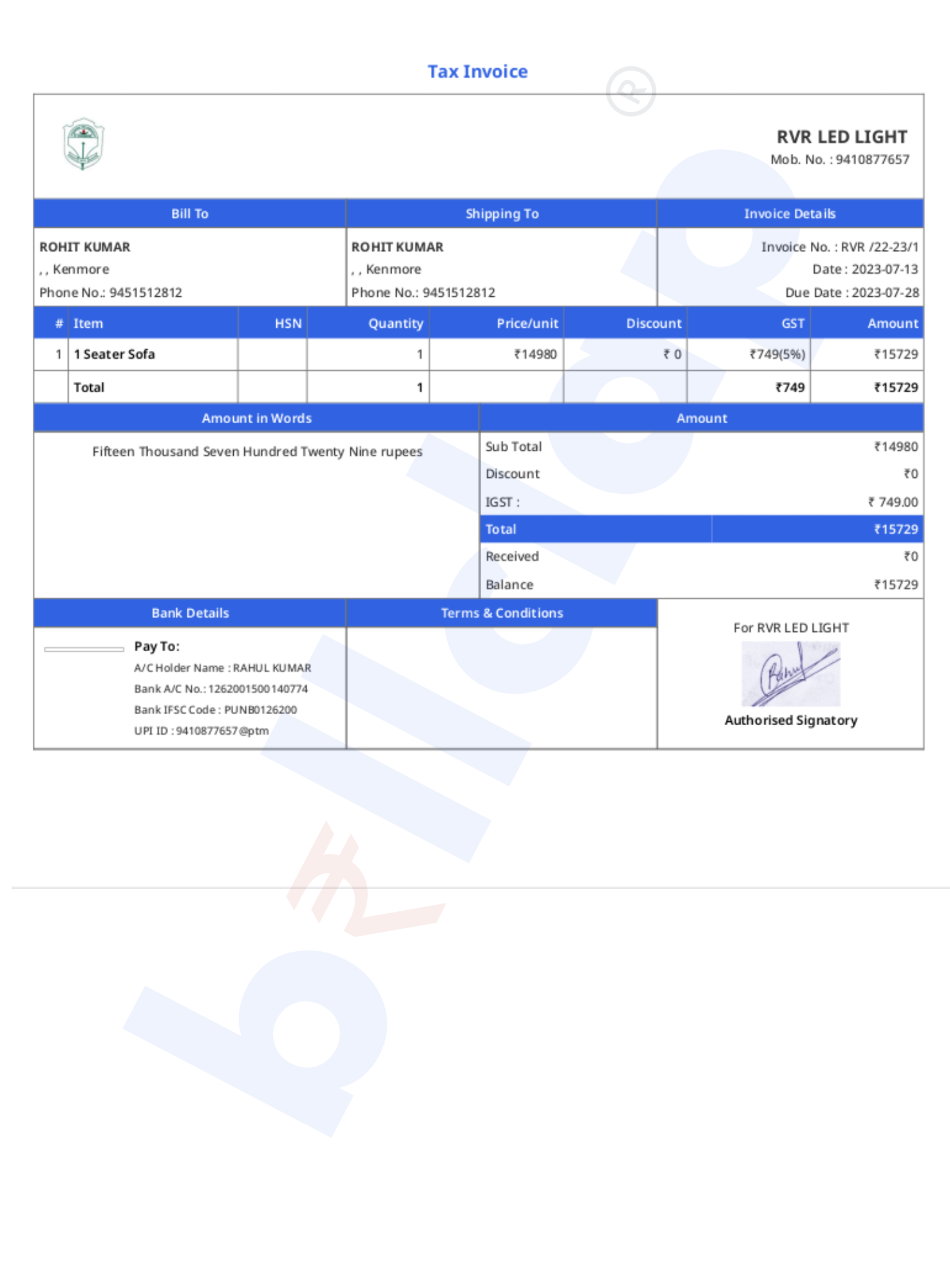
Clarity Theme
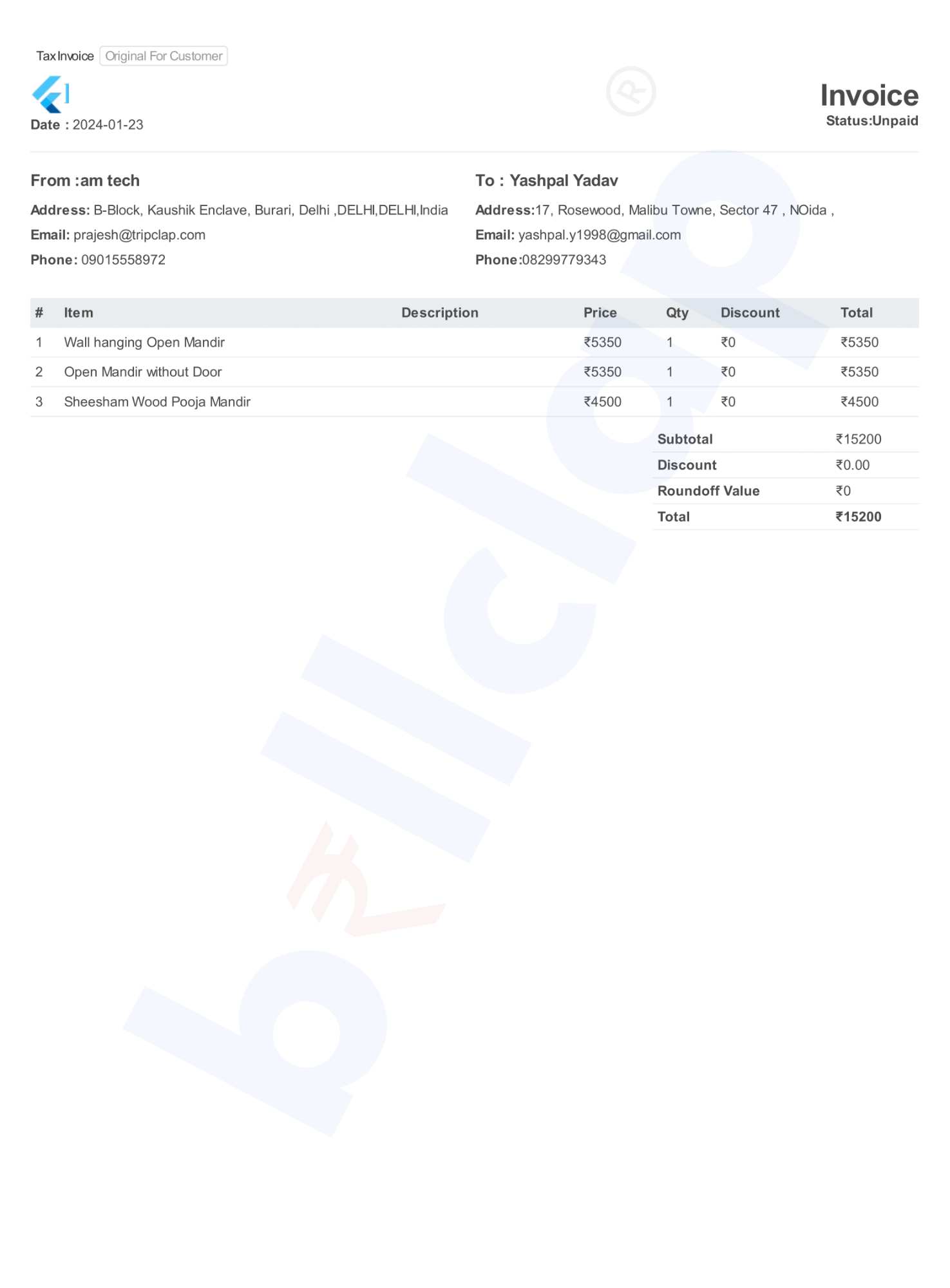
Non-GST Theme
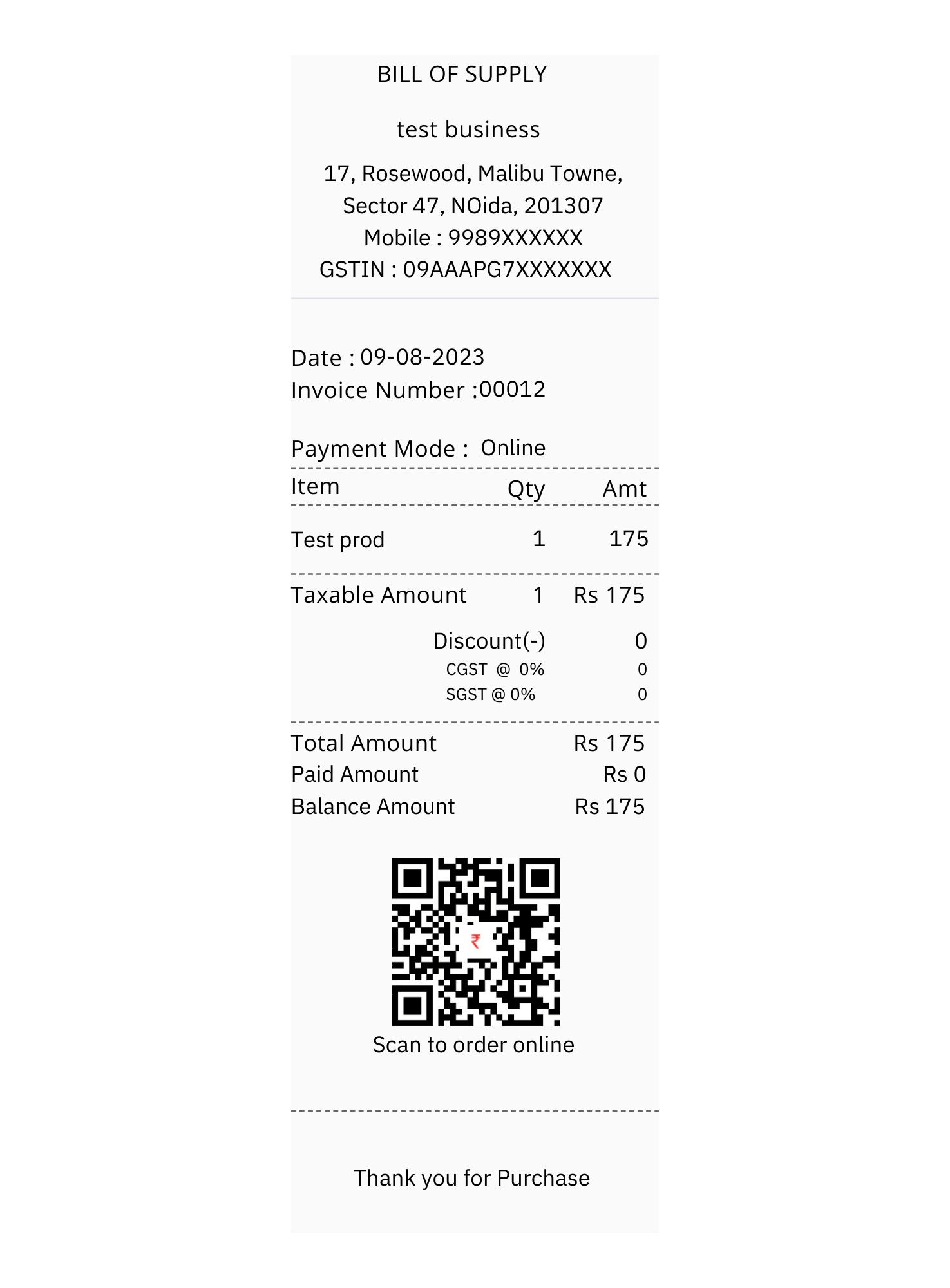
2 inch Thermal Print
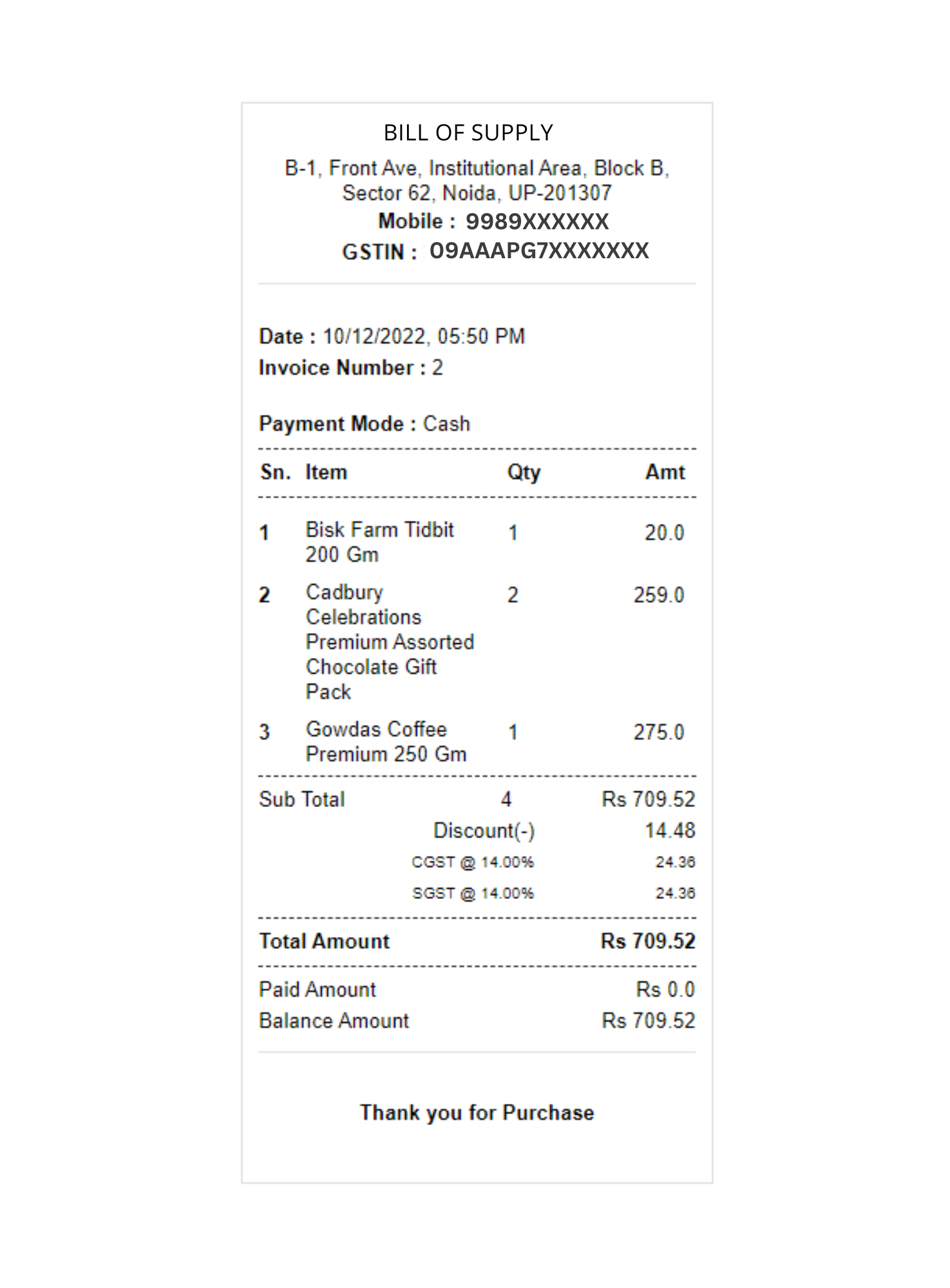
3 inch Thermal Print
Businesses registered with MCA or state government across India — from retailers and wholesalers to service providers and professionals.
Key features of our GST billing software for your business
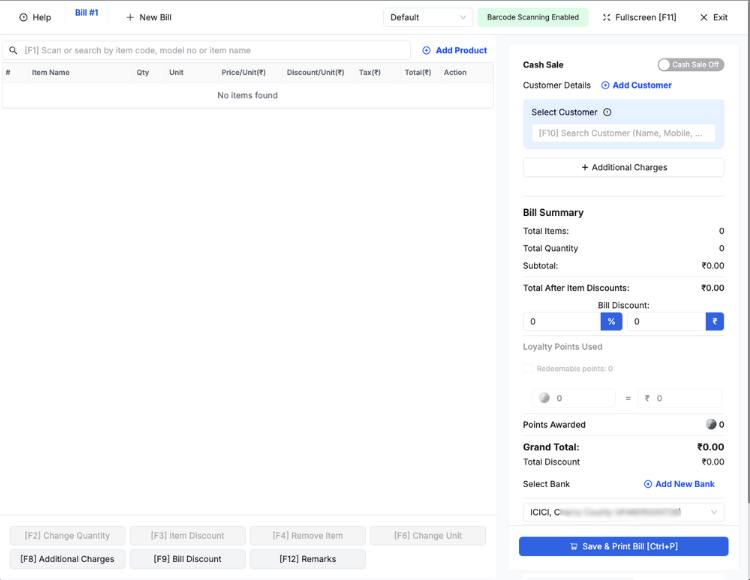
GST billing, inventory, and POS — built for Windows, macOS, and Linux.

Businesses from all industries love using BillClap
We'll send an OTP on the next screen to verify your number.

PRO PLUS
Cheapest plan to scale your business
ENTERPRISE ELITE
Everything including Pro Plus +
ENTERPRISE PLUS
Everything including Enterprise Elite +
*All prices are exclusive of GST
At its core, GST billing software is a digital solution designed to facilitate the invoicing and taxation processes for businesses operating under the GST regime in India. It automates the generation of GST-compliant invoices, simplifies tax calculations, and ensures adherence to the ever-evolving GST regulations mandated by the government.
GST billing software is equipped with a plethora of features tailored to meet the unique needs of businesses in India. These features include:
The adoption of GST billing software offers numerous benefits for businesses in India:
When selecting a GST billing software for your business, consider the following factors:
In the era of Goods and Services Tax (GST) in India, businesses face the daunting task of selecting the right tools to navigate the complexities of taxation and invoicing. At the heart of this decision lies the choice of GST billing software, a critical tool that can streamline invoicing processes, ensure compliance, and drive efficiency. In this guide, we'll explore the key factors to consider when choosing the right GST billing software for your business.
Select a GST billing software with an intuitive user interface and easy navigation. The software should be user-friendly, allowing your team to quickly adapt to its features and functionalities without extensive training.
Ensure the GST billing software you choose is fully compliant with the latest GST regulations mandated by the government. It should automatically calculate GST taxes, generate GST-compliant invoices, and stay updated with any changes in tax rates or rules.
Look for GST billing software that seamlessly integrates with your existing business systems such as accounting software, inventory management tools, and CRM systems. Integration ensures smooth data flow between different departments and eliminates the need for manual data entry.
Choose a GST billing software that offers customization options to suit your business needs. Look for features such as customizable invoice templates, branding options, and the ability to add custom fields to invoices to reflect your business identity.
Opt for a GST billing software that provides robust reporting and analytics capabilities. It should offer detailed insights into your financial performance, sales trends, tax liabilities, and other key metrics, empowering you to make informed business decisions.
Consider the scalability of the GST billing software as your business grows. Choose a solution that can scale with your business needs, accommodating increased transaction volumes, additional users, and new features seamlessly.
Evaluate the level of customer support and training provided by the GST billing software provider. Ensure that they offer comprehensive training resources, responsive customer support, and timely assistance to address any issues or queries.
Compare the pricing plans of different GST billing software providers and choose one that offers the best value for your money. Consider factors such as subscription fees, additional charges for upgrades or add-ons, and the overall return on investment.
Setting up GST billing software is a crucial step for businesses in India to streamline their invoicing processes, ensure compliance with GST regulations, and drive operational efficiency. In this step-by-step guide, we'll walk you through the process of setting up GST billing software for your business, from initial setup to customization and integration.
Before you begin the setup process, it's essential to choose the right GST billing software for your business needs. Consider factors such as ease of use, compliance with GST regulations, integration with other business systems, customization options, and pricing.
Once you've selected the GST billing software that meets your requirements, sign up for an account on the billclap.com website. Follow the prompts to create your account, providing necessary information such as your business name, contact details, and billing information.
After creating your account, proceed to the initial setup and configuration of the GST billing software This may involve setting up your business profile, including your business name, address, GSTIN (Goods and Services Tax Identification Number), and other relevant details.
Customize the invoice templates provided by the GST billing software to reflect your business identity. Add your logo, business colors, and any other branding elements to create professional-looking invoices that align with your brand image.
Configure the tax settings in the GST billing software to ensure accurate tax calculations on invoices. Enter the applicable tax rates for CGST (Central Goods and Services Tax), SGST (State Goods and Services Tax), and IGST (Integrated Goods and Services Tax) based on your business location and transactions.
Add your products and services to the GST billing software inventory database. Include details such as product names, descriptions, prices, and tax codes to facilitate seamless invoicing and inventory management.
Enter customer and vendor information into the GST billing software database. This includes details such as customer names, addresses, contact information, and GSTIN (if applicable), as well as vendor details for purchases and expenses.
Before going live with your GST billing software thoroughly test the setup to ensure everything is working as expected. Generate sample invoices, verify tax calculations, and review the overall functionality of the software to identify any issues or discrepancies.
If your GST billing software offers integration with other business systems such as accounting software or CRM platforms, set up the integration to streamline data flow between different departments and eliminate manual data entry.
Provide training and onboarding to your team members to familiarize them with the GST billing software and its features. Offer resources such as user manuals, video tutorials, and live support to ensure a smooth transition to the new system.
With the implementation of Goods and Services Tax (GST) in India, invoicing practices have undergone significant changes, requiring businesses to adhere to new regulations and guidelines. In this guide, we'll outline the best practices for GST invoicing to help Indian businesses ensure compliance, streamline processes, and maintain accuracy in their invoicing practices.
Ensure that your GST invoices include all mandatory information as per GST regulations. This includes details such as:
Utilize GST-compliant invoice formats recommended by the GST authorities. These formats typically include specific fields for capturing GST-related information, making it easier to ensure compliance and accuracy in your invoicing.
Follow a consistent numbering sequence for your invoices, ensuring that each invoice is assigned a unique and sequential invoice number. This helps in tracking invoices, maintaining records, and complying with audit requirements.
Verify the GSTIN (Goods and Services Tax Identification Number) of both suppliers and recipients before issuing or accepting invoices. This helps in ensuring that the invoicing parties are registered under GST and eligible for input tax credit.
Ensure accurate calculation of taxes (CGST, SGST/UTGST, IGST) based on the applicable GST rates for the goods/services provided. Use automated GST billing software to minimize errors and streamline tax calculations.
Issue invoices in a timely manner, aligning with the provisions of GST law. Invoices should be issued on or before the time of supply, as per the GST invoice rules, to avoid penalties and compliance issues.
Maintain comprehensive records of all invoices issued and received, along with supporting documents such as purchase orders, delivery challans, and payment receipts. Proper record-keeping is essential for GST compliance and audit purposes.
Regularly reconcile your sales and purchase data with GST returns filed to ensure accuracy and consistency. Any discrepancies or mismatches should be promptly addressed and rectified to maintain compliance with GST regulations.
Provide training and education to your staff and vendors on GST invoicing requirements and best practices. Ensure that they understand their roles and responsibilities in maintaining compliance with GST regulations.
Stay abreast of any changes or updates in GST regulations related to invoicing practices. Regularly review GST notifications, circulars, and updates issued by the GST authorities to ensure ongoing compliance.
In the digital age, businesses are increasingly turning to cloud-based solutions to streamline their operations, enhance efficiency, and adapt to changing business environments. When it comes to GST invoicing and compliance, cloud-based GST billing software offers numerous advantages over traditional on-premise solutions. In this guide, we'll explore why cloud-based GST billing software is a must-have for businesses in today's dynamic marketplace.
One of the key benefits of cloud-based GST billing software is its accessibility from any location with an internet connection. Business owners and staff can access the software from their desktop, laptop, or mobile device, allowing them to manage invoicing and compliance tasks on the go, whether in the office, at home, or while traveling.
Cloud-based GST billing software offers scalability and flexibility to businesses of all sizes. Whether you're a small startup or a large enterprise, cloud-based solutions can scale up or down to accommodate your changing business needs and transaction volumes. You can easily add or remove users, upgrade or downgrade subscription plans, and access new features as your business grows.
With cloud-based GST billing software, updates and compliance changes are managed automatically by the software provider. You don't have to worry about installing updates or keeping up with changing regulations manually. The software is always up-to-date with the latest GST rules and regulations, ensuring compliance and minimizing the risk of errors or penalties.
Cloud-based GST billing software offers robust data security and backup features, protecting your sensitive business data from loss, theft, or damage. Data is encrypted during transmission and storage, and redundant backups are maintained in secure data centers, providing peace of mind to businesses concerned about data security and compliance.
Cloud-based GST billing software typically operates on a subscription-based pricing model, eliminating the need for upfront hardware investments or IT infrastructure. Businesses pay a monthly or annual subscription fee based on usage, making it a cost-effective solution for businesses of all sizes. Additionally, cloud-based solutions often include features such as automated invoicing, reporting, and analytics, reducing manual effort and saving time and resources.
Cloud-based GST billing software enables seamless collaboration and integration with other business tools and systems. You can easily share invoices, collaborate with team members, and integrate with accounting software, CRM systems, and e-commerce platforms to streamline workflows and improve efficiency across your organization.
GST billing software automates the process of generating invoices, eliminating the need for manual data entry and calculations. With automated invoicing, businesses can create and send invoices quickly and accurately, saving time and reducing errors.
GST billing software automatically calculates taxes (CGST, SGST/UTGST, IGST) based on the applicable rates and rules, ensuring accurate tax calculations on every invoice. This eliminates the need for manual tax calculations, saving time and reducing the risk of errors.
GST billing software helps businesses stay compliant with GST regulations by automatically applying the correct tax rates, generating GST-compliant invoices, and maintaining accurate records. This streamlines compliance processes and reduces the risk of penalties and fines.
By automating invoicing and tax calculations, GST billing software ensures accuracy and consistency in financial transactions. This reduces the likelihood of errors and discrepancies, saving time and minimizing the need for manual corrections.
GST billing software often includes time-saving features such as invoice templates, recurring billing options, and batch processing capabilities. These features streamline invoicing processes and save time for businesses, allowing them to focus on core activities.
By automating repetitive tasks and reducing manual effort, GST billing software enhances productivity for businesses. Employees can spend less time on administrative tasks and more time on value-added activities, leading to increased efficiency and output.
Investing in GST billing software can result in significant cost savings for businesses. By streamlining invoicing processes, reducing errors, and improving efficiency, businesses can lower operating costs and increase profitability over time.
As businesses grow and expand, GST billing software offers scalability to accommodate increased transaction volumes and business complexity. Businesses can easily upgrade their software plans or add additional features as needed, without incurring significant upfront costs.
Filing Goods and Services Tax (GST) returns accurately and on time is crucial for businesses in India to maintain compliance with tax regulations. With the right GST billing software, businesses can streamline their GST filing processes and ensure accuracy in reporting. In this guide, we'll discuss tips for seamless GST filing using billing software.
Start by choosing a reliable and trusted GST billing software that offers robust features for GST filing. Ensure that the software is compliant with GST regulations and provides seamless integration with GSTN (Goods and Services Tax Network&41; for filing returns.
Maintain accurate records of all sales and purchases in your GST billing software throughout the tax period. Ensure that invoices are properly categorized, with correct tax rates applied, to facilitate accurate GST return filing.
Regularly reconcile your sales and purchase data with GST returns filed to identify any discrepancies or mismatches. Address any errors or discrepancies promptly to ensure accurate reporting and compliance with GST regulations.
Take advantage of automated features in your GST billing software for GST filing, such as auto-population of GST returns, automatic calculation of taxes, and generation of GST summary reports. Automation reduces manual effort and minimizes the risk of errors.
Before filing GST returns, thoroughly review and verify the data in your billing software to ensure accuracy. Double-check all invoices, tax calculations, and GST summary reports to identify any errors or inconsistencies.
Stay abreast of any changes or updates in GST rules and regulations that may impact your filing processes. Regularly review GST notifications, circulars, and updates issued by the GST authorities to ensure compliance.
Plan ahead for GST filing deadlines and ensure that you have sufficient time to review and prepare your returns. Set reminders in your billing software for important filing dates to avoid last-minute rush and potential penalties.
If you're unsure about any aspect of GST filing or encounter complex issues, don't hesitate to seek professional assistance from tax experts or consultants. They can provide guidance and support to ensure accurate and compliant GST filing.
Maintain regular backups of your data in your GST billing software to safeguard against data loss or corruption. Backup your invoices, tax records, and GST returns securely to ensure continuity of operations.
Conduct periodic audits of your GST filing processes and records to identify areas for improvement and ensure ongoing compliance with GST regulations. Address any audit findings promptly to maintain integrity and accuracy in your GST filings.
In recent years, the landscape of business in India has undergone a significant transformation, with Small and Medium Enterprises (SMEs) emerging as the backbone of the economy. These enterprises play a pivotal role in driving economic growth, fostering innovation, and generating employment opportunities across various sectors. However, navigating the complexities of compliance, particularly in the realm of taxation, has been a longstanding challenge for SMEs.
Enter Billclap GST billing software, a game-changer for SMEs seeking to streamline their invoicing and compliance processes while unlocking new avenues for growth. Let's delve deeper into how Billclap is empowering SMEs in India:
With the introduction of Goods and Services Tax (GST), SMEs were faced with the daunting task of transitioning from traditional taxation systems to a unified and digitized framework. Billclap's GST billing software simplifies this process by automating GST compliance, including invoice generation, tax calculation, and filing of GST returns. This not only saves time and effort but also ensures accuracy and compliance with regulatory requirements.
One of the key features of Billclap is its user-friendly interface and intuitive invoicing capabilities. SMEs can easily create professional-looking invoices, customize them according to their branding, and send them to clients with just a few clicks. The software supports multiple invoice formats, including GST-compliant invoices, proforma invoices, and recurring invoices, catering to the diverse needs of SMEs across industries.
For SMEs dealing with inventory-based businesses, efficient inventory management is crucial for optimizing operations and minimizing costs. Billclap's GST billing software offers robust inventory management features, allowing SMEs to track stock levels in real-time, manage product variants and attributes, and generate comprehensive inventory reports. This enables SMEs to streamline their supply chain, reduce wastage, and improve inventory turnover ratios.
Informed decision-making is the cornerstone of business success, and Billclap empowers SMEs with actionable insights and analytics to drive growth. The software provides detailed financial reports, including profit and loss statements, balance sheets, and cash flow statements, enabling SMEs to gain a deeper understanding of their financial performance and identify areas for improvement. Moreover, advanced analytics tools offer valuable insights into customer behavior, sales trends, and market opportunities, helping SMEs make data-driven decisions.
Unlike traditional ERP systems that may be cost-prohibitive for SMEs, Billclap offers a scalable and affordable solution tailored to the needs and budget constraints of small and medium-sized businesses. With flexible pricing plans and pay-as-you-go models, SMEs can access advanced features and functionality without the need for substantial upfront investments. This democratization of technology enables SMEs to leverage cutting-edge tools and compete more effectively in the digital age.
Collaboration is key to driving innovation and growth in today's interconnected world, and Billclap facilitates seamless integration with third-party applications and platforms. Whether it's integrating with accounting software, payment gateways, or e-commerce platforms, SMEs can harness the power of Billclap's open APIs and integrations to streamline their workflows, enhance productivity, and drive business expansion.
To summarise, Billclap GST billing software is a game-changer for SMEs in India, empowering them to navigate the complexities of taxation, streamline their invoicing and billing processes, gain valuable insights into their financial performance, and unlock new avenues for growth. As SMEs continue to play a vital role in driving India's economic resurgence, tools like Billclap will continue to be instrumental in their journey towards success and prosperity.
Billclap GST invoicing software is designed to cater to the diverse needs of businesses across various industries, empowering them to streamline their invoicing and compliance processes while unlocking new avenues for growth. Here's a closer look at who can benefit from using Billclap:
SMEs form the core user base of Billclap GST invoicing software. These businesses, ranging from startups to established enterprises, can leverage the software to simplify their GST compliance, streamline their invoicing workflows, and gain valuable insights into their financial performance. Whether it's a manufacturing unit, a retail outlet, or a service provider, SMEs of all sizes and sectors can benefit from Billclap's user-friendly interface and robust features.
Freelancers and solopreneurs, such as consultants, freelancers, and independent professionals, can also harness the power of Billclap GST invoicing software to manage their invoicing and billing processes efficiently. By automating repetitive tasks, tracking billable hours, and generating professional invoices, freelancers can focus on delivering value to their clients and growing their businesses without getting bogged down by administrative burdens.
Retailers, both brick-and-mortar stores and online sellers, can use Billclap GST invoicing software to manage their sales transactions, track inventory levels, and generate GST-compliant invoices. Whether selling products through a physical store, an e-commerce platform, or a combination of both, retailers can streamline their operations, improve inventory management, and enhance customer satisfaction with Billclap's comprehensive solution.
Service-based businesses, such as consultancy firms, agencies, and professional services providers, can benefit from Billclap GST invoicing software to automate their billing processes, track project expenses, and ensure timely payments from clients. By leveraging features such as project-based invoicing, time tracking, and expense management, service-based businesses can improve their cash flow, increase billing accuracy, and enhance client relationships.
Micro enterprises and startups, often constrained by limited resources and manpower, can find a reliable ally in Billclap GST invoicing software. With its affordable pricing plans, user-friendly interface, and scalability, Billclap caters to the unique needs of micro-enterprises and startups, enabling them to establish a strong foundation for growth, maintain compliance with tax regulations, and focus on innovation and expansion.
Accounting firms, tax consultants, and chartered accountants can leverage Billclap GST invoicing software to streamline their client management, automate tax calculations, and simplify GST filing processes. By centralizing client data, facilitating collaboration, and ensuring compliance with regulatory requirements, accounting and tax professionals can enhance their efficiency, accuracy, and client service offerings.
While GST billing software offers numerous benefits for businesses in managing their invoicing and tax compliance, encountering technical issues is not uncommon. Addressing these issues promptly is essential to ensure smooth operation and compliance with GST regulations. In this guide, we'll discuss common issues that may arise with GST billing software and provide troubleshooting tips to resolve them effectively.
Issue: Difficulty in installing or setting up the GST billing software on your computer or mobile device.
Solution: Ensure that your device meets the minimum system requirements for the software. Follow the installation instructions provided by the software vendor carefully. If the issue persists, contact customer support for assistance.
Issue: GST billing software is generating incorrect tax calculations on invoices.
Solution: Check the tax settings in the software to ensure that the correct tax rates are applied. Verify the GSTIN (Goods and Services Tax Identification Number) of both the supplier and recipient. If the issue persists, update the software to the latest version or contact customer support for troubleshooting.
Issue: Data syncing errors occur when transferring data between the GST billing software and other systems or devices.
Solution: Check your internet connection and ensure that it is stable. Verify the data syncing settings in the software and adjust as needed. If the problem persists, try restarting the software or device. If the issue persists, contact customer support for further assistance.
Issue: Problems with generating invoices or generating accurate reports in the GST billing software.
Solution: Review the invoice templates and report formats in the software to ensure they meet your requirements. Check for any missing or incorrect information in the invoices or reports. If the issue persists, update the software to the latest version or contact customer support for troubleshooting.
Issue: Compatibility issues arise when trying to integrate the GST billing software with other business systems or software.
Solution: Ensure that the GST billing software is compatible with the other software or systems you are trying to integrate with. Check for any updates or patches that may address compatibility issues. If the problem persists, contact customer support for assistance.
Issue: Security concerns regarding the storage and transmission of sensitive business data in the GST billing software.
Solution: Review the security features and protocols implemented by the software vendor to safeguard your data. Ensure that data encryption and secure transmission protocols are in place. If you have specific security concerns, discuss them with the software vendor or consult with a cybersecurity expert.
Desktop and Android app available
We'll send an OTP on the next screen to verify your number.
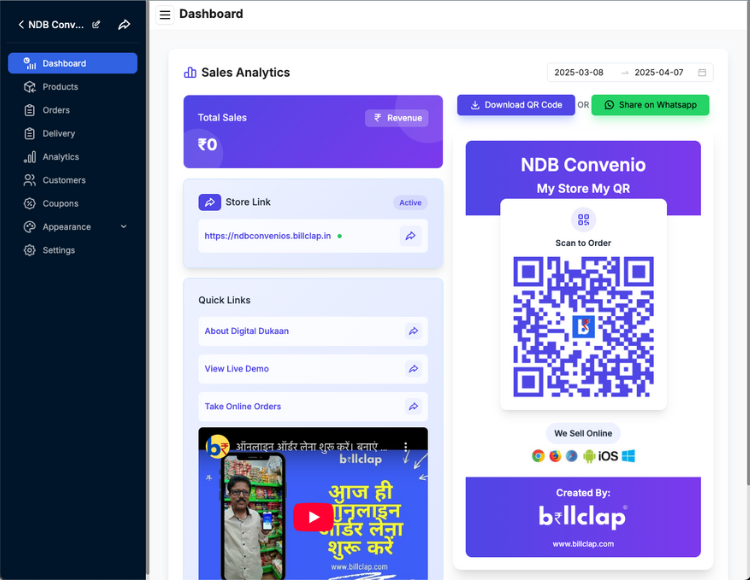
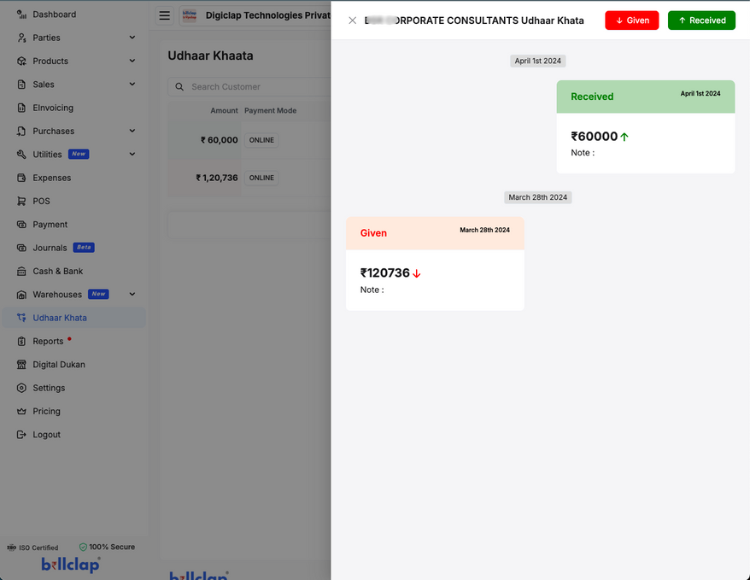
All-in-one cloud-based business management software. Sell smart, sell online with 0% commission. Manage billing, bahikhata, inventory, and expenses.