GST Billing Software for Restaurant: Speed Up Orders & Stay Compliant
When the Lunch Rush Hits and Your Billing System Freezes
Last Tuesday, I was at a popular dosa joint in Indiranagar, Bangalore. The queue was spilling onto the street. Inside, the owner Rajesh was frantically punching orders into an old desktop system that kept hanging between tables. His kitchen staff stood idle, waiting for KOTs. Customers were tapping their feet. By 2 PM, he had lost at least twelve walk-ins who simply left.
This is not uncommon. I see it across Noida, Mumbai, Hyderabad — restaurants and QSRs choking on billing friction when they should be flying through orders. The problem is rarely the staff. It is the wrong billing setup.
Let me be direct: if you run a restaurant or QSR in India today, your GST billing software is not just a compliance tool. It is your operational backbone. It determines how fast you can turn tables, how accurately your kitchen receives orders, and whether your GST returns file without drama.
In this article, I will walk through what actually matters when choosing GST billing software for restaurants and QSRs. Not generic feature lists. The specific mechanics of menu-item billing speed and thermal KOT printing that separate a smooth service from a chaotic one.
Why Menu-Item Billing Speed Is Your Hidden Profit Driver
Restaurant economics run on table turnover. The faster you can seat, serve, bill, and reset, the more revenue you generate from the same fixed costs. Every second spent navigating clunky billing screens is a second not spent serving customers.
Here is what fast menu-item billing actually looks like in practice. Your waiter taps a table number. The software instantly loads your configured menu — categorized by course, cuisine, or custom tags like "chef's special" or "under 15 minutes." Items are selected with one tap, modifiers (extra cheese, no onion, medium spicy) applied without submenu diving, and the order fires to the kitchen before the waiter leaves the table.
Compare this to the alternative: scrolling through unstructured lists, manually typing item names, searching for modifiers, correcting errors, reprinting bills. I have seen restaurants where a single table of four takes eight minutes to bill. Multiply that across lunch service. That is not a software choice. That is a revenue leak.
The GST dimension matters here too. Your billing speed must include automatic tax calculation — CGST and SGST for intra-state sales, IGST for inter-state, with correct HSN codes mapped to each menu item. Software that handles this invisibly, without requiring manual selection per transaction, preserves your speed. Software that forces tax decisions at the point of billing creates friction and error risk.
From my own retail operation in Noida, I can tell you: when your billing flow is muscle memory, your staff confidence rises. When it requires constant mental effort, mistakes multiply and service slows.
Thermal KOT Printing: The Kitchen Communication Lifeline
The Kitchen Order Ticket is the invisible thread connecting your front of house to your back of house. When it breaks, the whole service unravels.
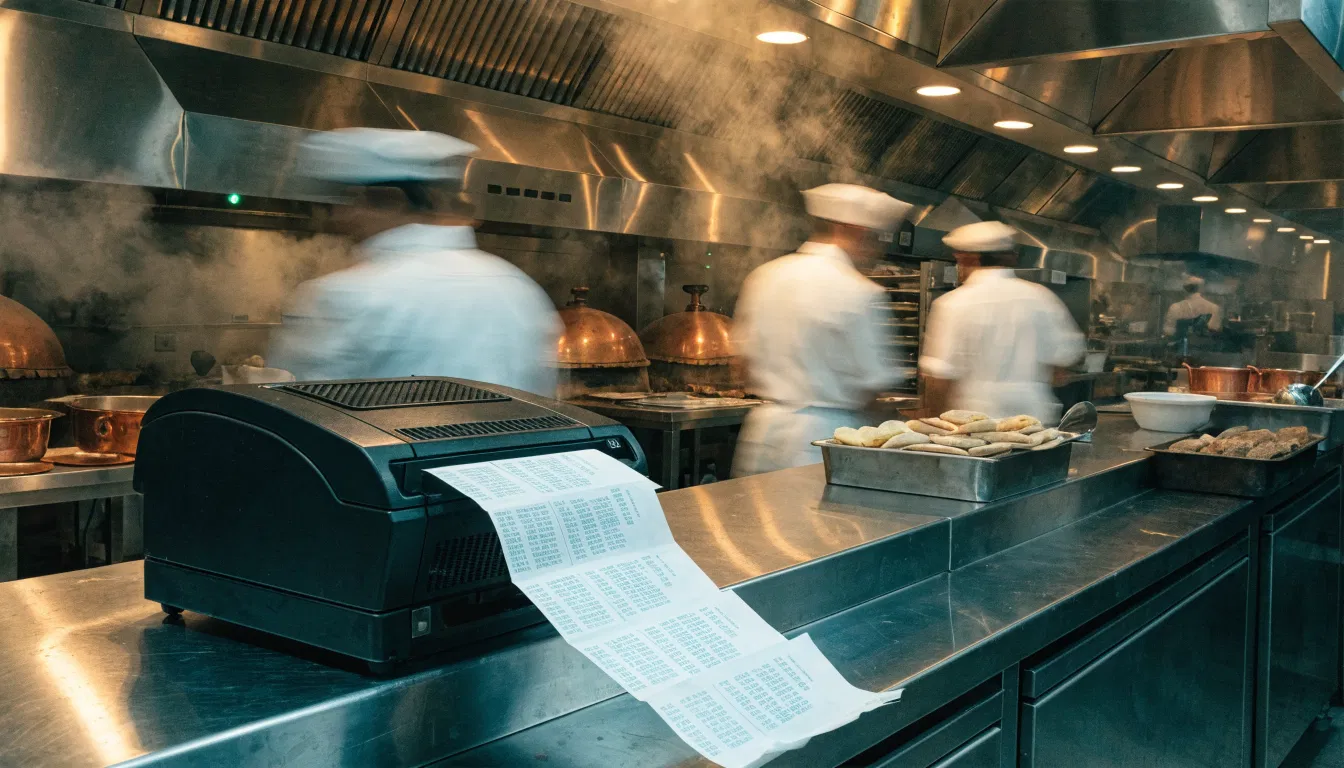
Thermal KOT printing matters for three hard reasons. First, speed. Thermal printers produce tickets in under a second with no warm-up time. Second, reliability. No ink cartridges to fail, no ribbons to replace, minimal moving parts. Third, clarity. Thermal prints remain legible in hot, humid kitchen environments where inkjet or dot-matrix output smudges into uselessness.
But the software-printer integration is where most restaurants stumble. Your GST billing software must support direct thermal printing with specific formatting: item names large enough to read across a busy kitchen, modifiers clearly flagged, order timestamps visible, table or order numbers prominent. The best systems allow multiple KOT printers — one for the main kitchen, one for the bar, one for the tandoor section — with intelligent routing based on item categories.
I visited a QSR in Chandigarh last month where the owner had invested in quality thermal printers but connected them through a generic Windows driver. The result: KOTs printing in the wrong sequence, duplicate tickets generating confusion, and occasional complete failures during peak hours. The hardware was fine. The software integration was broken.
The fix was specific: configuring the billing software's native printer protocols, setting up item-based routing rules, and establishing clear print queue management. Service stabilized immediately.
GST Compliance That Does Not Slow You Down
Let me address the compliance piece with specificity, because this is where restaurant owners often feel trapped between speed and accuracy.
Under GST, restaurants fall primarily under the food and beverage service category. For most establishments, this means charging 5% GST without input tax credit (composition scheme) or 18% with ITC (regular scheme). The CGST Notification No. 46/2017 dated 14th November 2017, as amended, governs these rates. Your billing software must apply the correct rate based on your registration status and must do so automatically.
But there is more. Section 31 of the CGST Act mandates a tax invoice for every supply. For restaurants, this typically means a bill of supply or tax invoice generated at the point of sale. The invoice must contain: your GSTIN, the customer's name if registered (for B2B), HSN code for goods, SAC code for services, tax amount separated by CGST/SGST or IGST, and a consecutive invoice number.
Software that forces manual entry of these elements per transaction is not viable for high-volume service. You need preconfigured templates where your GSTIN, HSN codes, and tax rates are set once and applied automatically. You need invoice numbering that is truly sequential and tamper-evident, as required by Rule 46 of the CGST Rules.
For restaurants with turnover above Rs. 5 crore, e-invoicing is now mandatory under Notification No. 01/2022-Central Tax dated 24th February 2022. This means your billing software must integrate with the Invoice Registration Portal (IRP) to generate IRNs and QR codes in real time. The integration cannot add perceptible delay to your billing process. I have seen systems that take 8-10 seconds for IRN generation — acceptable for wholesale, unacceptable for a QSR lunch rush.
If your restaurant is below the e-invoicing threshold, you still benefit from software that structures data in e-invoice compatible format. When you cross that threshold, migration is seamless rather than disruptive.
The Specific Pain Points of QSR Operations
Quick Service Restaurants operate at a different velocity than full-service restaurants. Your billing software must recognize this.
QSRs typically see higher transaction volumes with lower average ticket sizes. Customers expect to order and receive food within minutes, not leisurely courses. The billing interaction is often at a counter rather than tableside, with payment immediate rather than post-meal.
This changes your software requirements. You need rapid menu navigation optimized for counter staff who may be handling multiple customers simultaneously. You need integrated payment acceptance — UPI, cards, wallets — with instant reconciliation against the bill. You need kitchen display systems (KDS) as an alternative or supplement to printed KOTs, showing orders on screens with timing indicators and fulfillment tracking.
Inventory visibility becomes critical in QSR. When you sell a chicken burger, the software should decrement not just "chicken burger" but the underlying raw materials: bun, patty, cheese slice, sauce portions, packaging. This real-time depletion prevents the embarrassing "sorry, not available" moment during peak hours.
I advised a QSR chain in Mumbai with twelve outlets to implement integrated inventory depletion tied to every bill. Their wastage dropped 23% in three months. More importantly, their staff stopped making promises the kitchen could not fulfill.
The GST reporting burden for QSRs is also distinct. With hundreds of daily transactions, manual GSTR-1 preparation is error-prone and time-consuming. Your software should auto-populate GSTR-1 from billed transactions, with clear flags for any anomalies requiring review. This is not a luxury feature. It is survival during monthly return filing.
Table Management and Split Billing Realities
Full-service restaurants face a different set of operational complexities. Your billing software must handle table lifecycle management: reservation, seating, ordering, billing, and reset with clean separation between occupied and available status.
Split billing is where many systems fail. A table of six wants separate bills. Two want to pay cash, three by UPI, one by card. One customer is a registered business needing a GST invoice with their GSTIN. The others are retail customers who do not care.
Your software must handle this without reconstruction gymnastics. It should allow bill splitting by item or by amount, generate multiple invoices from a single order, apply different customer types to different splits, and process mixed payment modes without manual calculation.
The GST implications of split billing are specific. When you split a bill for retail customers, each split is a separate supply with its own invoice number and tax calculation. When one split involves a registered business, that specific invoice must capture their GSTIN and generate a proper tax invoice rather than bill of supply. Software that forces you to re-enter data or manually adjust tax treatments for splits is adding compliance risk.
I have seen restaurants in Delhi NCR attempt split billing through workarounds: voiding original bills, creating new transactions, manually calculating shares. This creates audit trails that are difficult to defend. The GST department can and does examine invoice sequences and void patterns. Clean split billing functionality is not just operational convenience. It is audit protection.
Integration with Food Aggregators and Online Ordering
Most restaurants today operate across multiple channels: dine-in, takeaway, Zomato, Swiggy, own website, phone orders. Your billing software must unify these into coherent operations and accounting.
Aggregator orders arrive with their own order IDs, customer details, and payment structures. The commission is deducted before you receive payment. TCS may be collected. The customer paid platform fees that do not appear in your records. Your software needs to ingest these orders, map them to your menu items, generate KOTs for kitchen fulfillment, and record the net settlement correctly.
The GST treatment of aggregator sales has specific nuances. Under Notification No. 17/2022-Central Tax dated 5th July 2022, food delivery platforms are made responsible for GST payment on restaurant supplies made through them under Section 9(5) of the CGST Act. However, this does not eliminate your invoicing obligations. You must still issue invoices or bills of supply, and the platform's compliance does not substitute for yours.
Software that integrates directly with Zomato and Swiggy APIs can pull orders automatically, eliminating manual entry and its associated delays and errors. It can also reconcile settlements against orders, flagging discrepancies for follow-up. Without this integration, your staff are constantly context-switching between tablets and billing terminals, increasing error rates and slowing service.
For your own online ordering channel, integration with BillClap Digital Dukaan or similar platforms allows direct order flow into your billing system. This preserves your margin (no aggregator commission) while maintaining operational efficiency.
Hardware Considerations for Restaurant Environments
Software does not operate in isolation. Your hardware choices significantly impact billing speed and reliability.
Thermal receipt printers for customer bills should be 80mm width minimum, with auto-cutter functionality. The 58mm portable printers are fine for delivery executives, inadequate for dine-in where customers expect professional presentation. Print speed of 250mm/second or higher ensures no queue buildup at payment.
KOT printers should be positioned for kitchen workflow: near the pass for final plating verification, at individual stations for specialized preparation. Kitchen environments are harsh — heat, steam, grease, occasional liquid exposure. IP54-rated printers or protective enclosures are worth the investment.
Your billing terminal itself matters. Tablets offer mobility for tableside ordering but require robust WiFi infrastructure. Fixed terminals provide stability but tether your staff. Many successful restaurants run hybrid setups: tablets for order capture, fixed terminals for payment processing and manager functions.
Power backup is non-negotiable. A 15-minute UPS for your router and billing terminal preserves transaction continuity during brief outages. For longer disruptions, offline billing capability with sync-on-reconnection prevents complete operational halt.
Peripheral integration — weighing scales for ingredient receiving, barcode scanners for inventory, customer-facing displays for order confirmation — should all connect cleanly to your billing software without driver conflicts or configuration drift.
Data Security and Access Control in Multi-User Environments
Restaurants have high staff turnover and multiple access points. Your billing software must manage this securely without creating friction.
Role-based access control is essential. Waiters need order entry and bill generation. Managers need void authorization, discount application, and reporting access. Owners need full visibility including financial summaries and GST return data. Software that offers granular permission setting prevents both unauthorized actions and unnecessary restriction of legitimate workflow.
Audit logging matters for GST compliance and internal accountability. Every void, every discount, every price override should be timestamped and attributed. The GST department can request transaction-level data; your software should retain this in accessible format for the mandated period (currently 72 months under Section 36 of the CGST Act).
Data backup is often overlooked until disaster strikes. Cloud-synced billing data protects against local hardware failure. Encrypted transmission protects against interception. These are not IT department concerns for small restaurants. They are business continuity essentials.
Reporting That Actually Helps You Run Better
Most billing software offers reports. Few offer insights that change how you operate.
The reports you actually need: item-wise sales velocity to identify your stars and dogs; hourly transaction patterns to optimize staffing; table turnover time to identify bottlenecks; payment mode mix to reconcile banking; GST liability summary for return preparation; and raw material consumption against sales to detect pilferage or portion drift.
Real-time visibility is preferable to end-of-day batch reporting. When you can see that your biryani sales are 40% above forecast by 8 PM, you can adjust kitchen production before running out. When you spot that UPI settlements are not matching billed amounts in real time, you can investigate while the transaction is fresh.
Export compatibility matters. Your accountant likely uses Tally or similar for finalization. Your billing software should export data in formats that import cleanly, preserving GST details and transaction references. Manual re-entry of billing data into accounting systems is a duplication of effort and error source that technology should eliminate.
Choosing Between Cloud, On-Premise, and Hybrid Deployment
Restaurant owners often ask me: should I go cloud-based or keep my billing server local?
Cloud-based billing software offers automatic updates, remote access for multi-outlet oversight, and no local server maintenance. The trade-off is internet dependency. When connectivity fails, so does billing unless offline capability is specifically implemented.
On-premise systems offer control and offline operation but burden you with updates, backups, and hardware lifecycle management. For single-outlet operations with unreliable internet, this can be preferable. For growing chains, it becomes a management headache.
Hybrid approaches — local operation with cloud sync — attempt to capture benefits of both. Your billing runs locally for speed and offline resilience. Data syncs to cloud when connectivity permits, enabling remote reporting and automatic backup. This is increasingly the default architecture for serious restaurant software.
Your choice should reflect your infrastructure reality. If you have fiber connectivity and IT support, cloud-native is viable. If you operate in areas with patchy connectivity or lack technical staff, prioritize offline-capable solutions.
The Hidden Costs of Cheap Software
I need to address pricing directly, because restaurant owners often evaluate software on subscription cost alone.
Cheap or free billing software typically carries hidden costs. Limited menu item capacity that forces workarounds. No thermal printer support, forcing manual KOT writing. No GST rate updates, requiring manual maintenance. No customer support when you have a problem on Saturday night. Data export restrictions that trap you when you want to migrate. Advertising insertion that slows your interface and looks unprofessional.
The cost of a billing error — wrong tax charged, invoice number skipped, KOT not printed — far exceeds any subscription savings. A single GST notice for incorrect filing can consume days of management attention and professional fees.
Evaluate total cost of ownership: subscription, hardware compatibility, training time, support responsiveness, update frequency, and exit flexibility. Software that costs more upfront but operates reliably saves money across a year of service.
A note from BillClap
BillClap GST billing software is built specifically for the pace of Indian restaurants and QSRs — fast menu billing, native thermal KOT printing, and automatic GST compliance that keeps up with your lunch rush. We have seen firsthand how the right billing setup transforms service speed and staff confidence. If you are evaluating options, billclap.com offers a straightforward way to explore whether our approach fits your operation.
Frequently Asked Questions
What is the best GST billing software for small restaurants in India?
The best software depends on your specific needs, but look for fast menu navigation, native thermal KOT printing support, automatic 5% or 18% GST calculation, and offline billing capability. Cloud-based systems with local sync work well for most small restaurants. Avoid generic retail billing software that forces workarounds for restaurant-specific workflows like table management and kitchen routing.
Do I need separate KOT printers for different kitchen sections?
Yes, if your kitchen has distinct sections like main kitchen, tandoor, and cold beverages. Item-based routing ensures each station receives only relevant orders, reducing confusion and preparation time. Your billing software should support multiple printer configuration with intelligent routing rules. A single printer in a large kitchen creates bottlenecks and missed orders during peak hours.
How does GST work for restaurants registered under composition scheme?
Composition scheme restaurants charge 5% GST (2.5% CGST + 2.5% SGST) on all supplies and cannot claim input tax credit. Your billing software must apply this rate automatically and generate bills of supply rather than tax invoices. You cannot issue invoices showing separate tax amounts to customers — the 5% is included in the total. Ensure your software is configured for your specific registration type to avoid compliance errors.
Can billing software handle both dine-in and Zomato orders together?
Quality restaurant billing software integrates with Zomato and Swiggy APIs to pull orders directly into your system. This creates unified KOTs for kitchen fulfillment and consolidated reporting. Without integration, staff manually re-enter aggregator orders, creating delays and error risk. Check that your software specifically lists Zomato/Swiggy integration, not just generic "online ordering" support.
What happens to my billing if internet goes down during service?
Depends on your software architecture. Cloud-only systems halt without connectivity. Hybrid systems with local database continue billing and sync when connection restores. Before choosing software, verify offline capability specifically — marketing claims of "cloud benefits" often obscure internet dependency. Test the offline scenario during evaluation, not after deployment.
Do I need e-invoicing for my restaurant?
Mandatory only if your aggregate turnover exceeds Rs. 5 crore in any financial year. Below this threshold, standard GST invoicing applies. However, if you are approaching the threshold, choose software with e-invoice readiness to avoid disruptive migration later. The e-invoice integration must not add perceptible delay to your billing process — sub-3-second IRN generation is achievable with proper implementation.
About the Author
Ramesh Gupta is a GST consultant and small-business advisor based in Noida who writes the BillClap blog. He has 14+ years of experience advising Indian SMBs on GST, billing, and daily operations, and also runs a small retail business himself.